
Searching Civil Dockets in Georgia
Pull the county and court straight off the summons, petition, or order before anything else. Georgia Courts' E-Access directory sends searchers to separate county and court providers. It is not one statewide civil index. Each provider sets its own fields, images, and date ranges. An account is required. The Clerk of Superior Court holds Superior civil records. Every other Georgia court keeps its own records with its own custodian.
re:SearchGA is a secondary option. It covers participating courts only. Its 2021 guide lists Cases, Filings, Text in Documents, and Hearings. It also offers filters for Location, Case Category, Case Type, and Case Status. Coverage and history across Georgia are not fully stated, and sign-in is required. Use the full local case number when you can. The Georgia case lookup walks through this county-and-court split.
- Match the Georgia county and court on the case paper; Superior and State Court files are separate.
- Choose that Georgia court in E-Access and follow its provider’s sign-in steps.
- Try re:SearchGA if that Georgia court participates, then verify the result locally.
- For a missing Georgia document, ask the clerk about account, fee, terminal, or archive access.
- Request the official Georgia docket from its clerk. The county directory routes to the local court.
Georgia Civil Courts and Their Clerks
Georgia Superior Court takes general civil matters, divorce, land title, and equity. State Court hears county civil actions not reserved to Superior Court. Magistrate Court handles money claims of $15,000 or less plus dispossessory cases. Probate Court keeps estates, wills, and guardianships. One caution: separate Georgia courts may share staff without sharing a docket.
The Georgia State-wide Business Court hears qualifying business disputes. It applies its own law and rules, not every commercial claim filed in the state. Venue, requested relief, amount, and exceptions can all change which court is proper. Read the case papers and the current criteria before searching.
| Court | Civil docket scope | Record custodian |
|---|---|---|
| Georgia Superior | General civil, equity, domestic relations, divorce, and land title | Clerk of Superior Court |
| Georgia State | County civil cases not reserved to Superior Court | State Court Clerk or combined clerk |
| Georgia Magistrate | Claims within its limit and dispossessory cases | Magistrate Court Clerk |
| Georgia Probate | Estates, wills, guardianship, and statutory matters | Probate Court Clerk |
| Georgia Business Court | Qualifying business disputes under current rules | Business Court Clerk |
The Judicial Council's Georgia court navigation resource outlines these trial-court classes. E-Access and the clerk's case page show the current local search route.
Note: Georgia court class labels matter, because a shared clerk's office can still maintain separate civil dockets and separate search routes.
What a Georgia Civil Docket Shows
A Georgia civil docket lists filings, notices, settings, orders, and status, though portals use different headers and event labels. One row matters more than it looks. A complaint or motion entry may not show the filing itself, and a hearing entry is not a ruling. Read the signed order for the result.
| Georgia case number | Use the full local number; no statewide sample format was verified. |
|---|---|
| Georgia caption | Names parties where public; a caption does not prove service. |
| Georgia filing history | Complaint, answer, motion, notice, and order rows may appear. |
| Georgia settings | Conference, motion hearing, calendar call, or trial date. |
| Georgia judgment | Read the final order for dismissal, default, settlement, or appeal terms. |
| Georgia document link | A portal event may lack an image; ask the clerk for the filing. |
For any Georgia search, use the full local case number as issued rather than an assumed statewide prefix. Match the court and county as well.
Georgia Civil Motions Need a Court Order
A motion on a Georgia civil docket asks the judge to act. It does not show that the judge agreed. Locate the later Georgia order or judgment and read it, since the filing, hearing, and signed dates can all differ.
Portal status like
also needs context. If the ruling is not attached, ask the clerk for the signed paper. A docket event never substitutes for that order.
Civil Case Types on Georgia Dockets
Georgia civil matters sort by subject and jurisdiction, not by one statewide portal category. Local labels for contract, tort, property, domestic, probate, and small-claim cases vary from court to court. AOC reporting groups are not guaranteed search filters.
| Case subject | Common court route | Search clue |
|---|---|---|
| Divorce, equity, or land title | Georgia Superior Court | Use the court and county on the petition. |
| County civil claim | Georgia State Court | Do not assume a Superior list includes it. |
| Money claim at or below $15,000 | Georgia Magistrate Court | Check claim type and exceptions. |
| Estate, will, guardianship | Georgia Probate Court | Use the Probate clerk’s route. |
| Qualifying business dispute | Georgia State-wide Business Court | Confirm current jurisdiction rules. |
A Georgia case label alone may not settle venue, because the relief sought, the amount, and the governing law all matter. Check the summons first, then use E-Access to find the current provider.
Note: Georgia docket terminology is not uniform, so rely on the court's own label and the signed paper rather than a generic status.
Georgia Magistrate Civil Docket: $15,000 Limit
Georgia Magistrate Court may hear civil money claims of $15,000 or less. Ordinary cases there do not use a jury trial. Treat the amount as a routing clue only. Claim type, relief, and exceptions decide where a dispute belongs. A smaller case is not automatically a Magistrate case.
Search the Magistrate entry even when one clerk's office also serves Superior or State Court. A transfer or appeal can create another record. Ask the Magistrate Court Clerk which case number holds the event you need.
Georgia Business Court Docket Is Statewide
Georgia's State-wide Business Court hears qualifying business disputes as a specialized statewide venue. It does not replace county Superior Court. Statute and court rules set eligibility. A business or contract label alone does not qualify a case.
The Business Court docket sits apart from county Superior and State records. The Georgia court-system guide describes its role. Check current instructions or ask its clerk for the correct search route.
Georgia Civil Settings and Hearings
A Georgia civil docket may show a status conference, motion hearing, calendar call, mediation notice, trial setting, or reset. A setting is not a ruling. Its date or courtroom may live in a separate notice. Georgia courts use local calendar labels with no single statewide trial-calendar search.
A continuance postpones a setting, while a reset may move it to another date entirely. Check the newer notice. If the public calendar is unclear, ask the clerk or the coordinator.
Note: Georgia civil setting labels and publication schedules can differ. Local court, calendar, and division drive the differences.
Georgia Civil Docket Search on re:SearchGA
re:SearchGA can do more than match a case name for participating courts. Its 2021 quick reference guide lists four search modes. These are Cases, Filings, Text in Documents, and Hearings. Filters cover Location, Case Category, Case Type, and Case Status. The controls include Advanced, Hints, Clear, Export Results, and Saved Searches. That guide predates the current interface. Check the live service for the exact labels and options now in use.
An account is required. The filter names do not guarantee that every court supplies each option. Public materials do not confirm a full county list, universal civil coverage, a history cutoff, or a refresh schedule. Confirm the local court's provider through the current E-Access directory. Then verify any result with the clerk who keeps the civil file.
| Search control | Documented purpose | Coverage note |
|---|---|---|
| Cases | Search case records | Participating courts only; options can change. |
| Filings | Search filing records | Not a promise that every filed item is indexed. |
| Text in Documents | Full-text document search where available | Source-document access limits still apply. |
| Hearings | Search hearing information | Current fields and court coverage are not fully published. |
| Location / Category / Type / Status | Filters named in the published guide | Complete current option lists were not captured. |
Georgia Civil Docket Access
Most ordinary Georgia civil filings are open to the public. Laws, court rules, and orders can limit access to some records or personal details. Uniform Superior Court Rule 21 opens Superior Court records to inspection unless law or rule restricts them. Redacting an identifier is not the same as sealing the whole case. Juvenile records and other protected materials follow separate rules. A domestic-relations case should never be assumed fully public or fully sealed based on its category alone.
The Georgia Open Records Act (O.C.G.A. §§ 50-18-70 et seq.) applies to covered public agencies. Per the Attorney General, Superior, State, Probate, and Magistrate Court case files sit outside that Act. Ask the custodian of the court documents directly, using the court's own procedure. When a portal hides a filing, ask the clerk whether an order, statute, registration gate, fee, or scanning delay explains the limit.
Georgia access rules: Uniform Superior Court Rule 21 sets public access and the restriction procedure; O.C.G.A. § 9-11-7.1 and Rule 21.6 cover redaction of specified identifiers in covered filings. Redaction is not sealing. The Georgia Attorney General’s guidance explains why the Open Records Act is not the general request route for these court files.
Call the clerk for the details before ordering a plain or certified civil record. Ask for the current copy charge, accepted payment, delivery options, and any separate vendor fee. Superior Court statutory copy charges stand apart from filing costs and local processing fees. Other court schedules can differ. Also note that Georgia agency-record request rules do not replace the clerk's process for civil case files.
Missing Georgia Civil Docket Documents
A Georgia civil case that does not appear may simply be filed elsewhere. Start by confirming the county and court from the summons or order. A search can land in the wrong court class, demand provider registration, or show a docket row without the document image. Older files may sit in paper, microfilm, or offsite storage, and online history varies by portal. A blank result proves nothing about whether the filing or case exists.
The Fulton County Clerk's Find a Case page shows how one county handles this, with separate Superior and State/Magistrate court search links. It is a local menu only, not a statewide portal or a universal court arrangement.
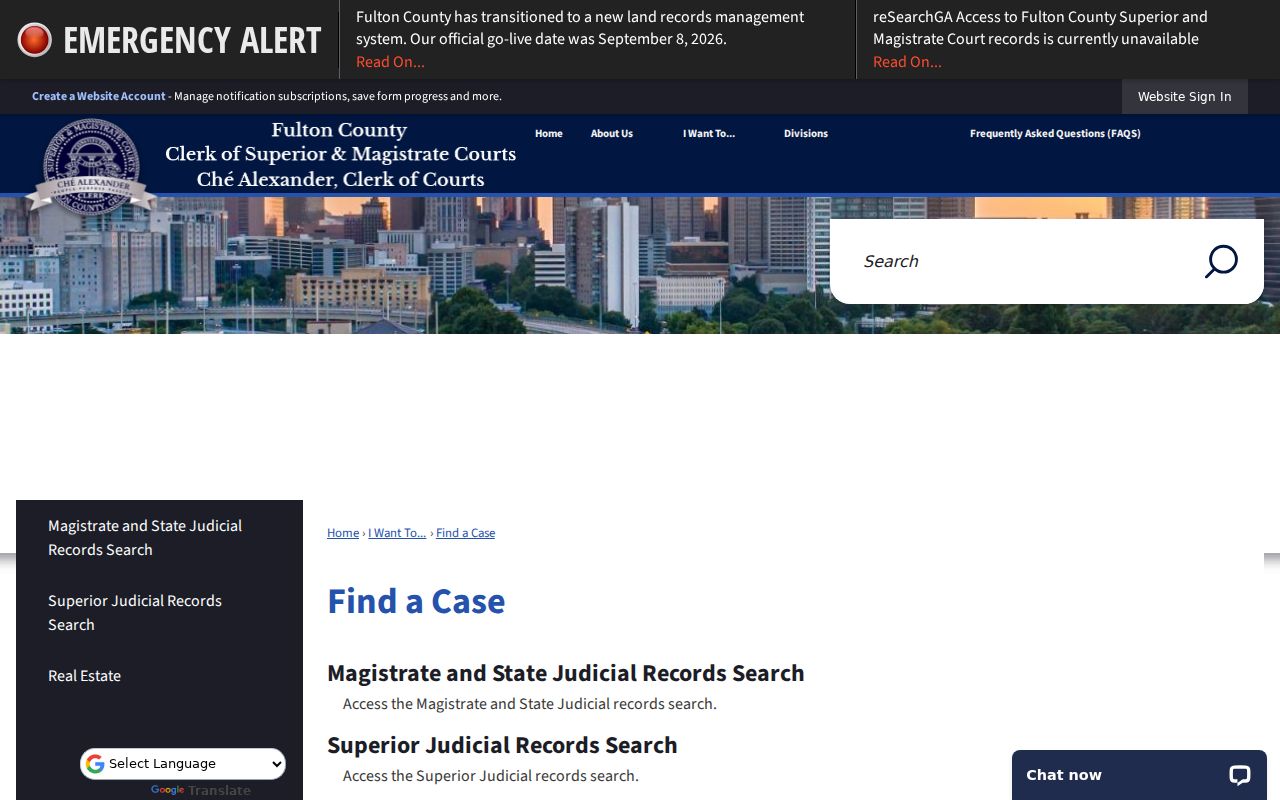
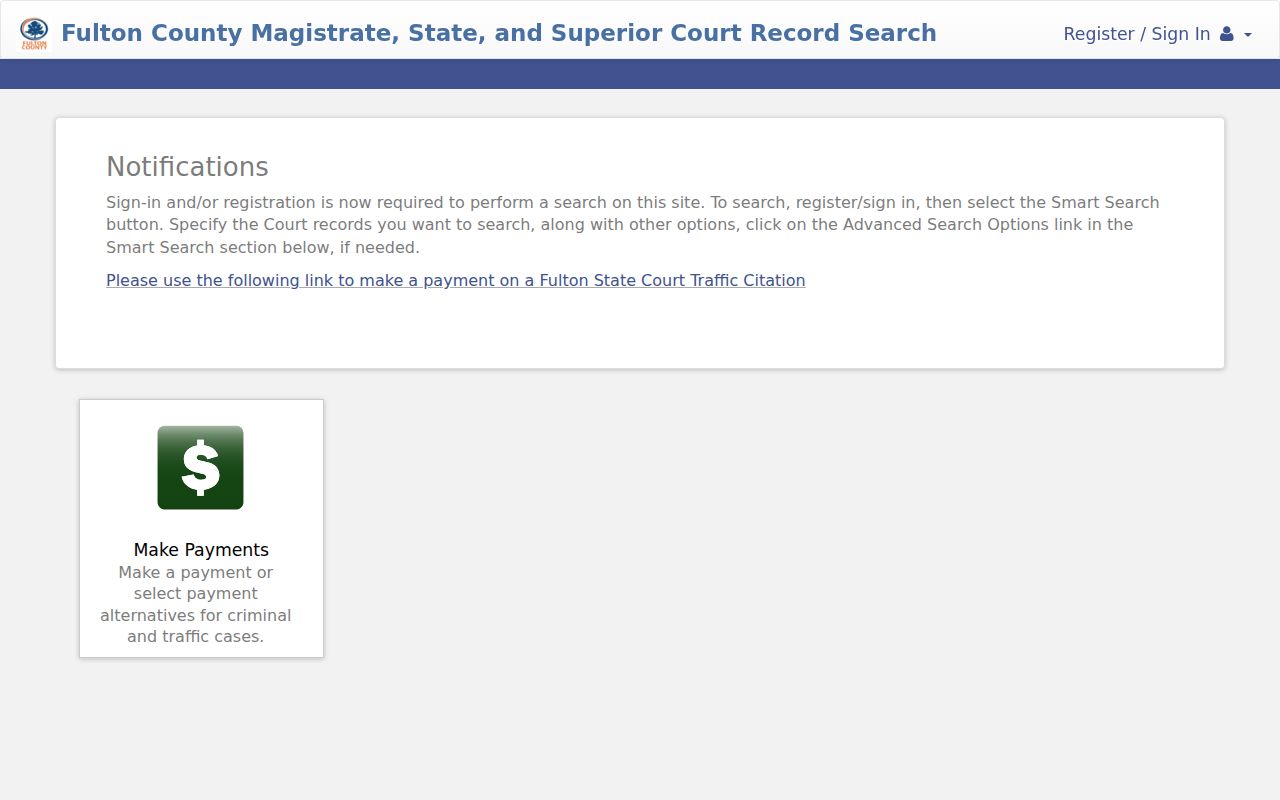
That county-specific link points to a provider rather than merging court records in one place. The Fulton County Tyler portal is one such destination. Its public shell needs JavaScript and cookies, and visitors see sign-in or registration prompts before any case detail. This entry screen belongs to the Fulton provider, not to a Georgia-wide search.
For any Georgia county, go back to the official E-Access listing and verify the right court. Then contact its clerk about the missing document. Clerks may take requests in person, by phone, email, or mail, but no uniform statewide form or turnaround guarantee exists. Ask whether a courthouse public terminal is available. Give the case number, document name or date, copy type, delivery details, and payment method.