
Searching Criminal Dockets in Georgia
Georgia Courts E-Access to Court Records is a directory, not a single statewide criminal index. Pick the county and court printed on the citation, warrant, or notice first. Every county gets a Superior Court link. Many State Court links appear too, though routes for lower courts vary. You will need a destination account. Each Georgia provider chooses its own search fields and image access rules.
re:SearchGA works as a backup for participating courts, not a complete index. Its 2021 quick reference guide describes searches by Cases, Filings, Text in Documents, and Hearings. Filters cover Location, Case Category, Case Type, and Case Status. Sign in to use it. Enter the full local case number, since no single Georgia criminal format applies statewide. The Georgia case lookup follows the same county-and-court route.
- Match the Georgia court and county on the charging paper; felony, misdemeanor, traffic, ordinance, and juvenile records differ.
- Choose that Georgia court in E-Access and follow its provider's account instructions.
- Try re:SearchGA only if the Georgia court participates, then confirm any result locally.
- Ask the Georgia clerk about a missing image, public terminal, older archive, fee, or alternate portal.
- Request the full Georgia docket from its clerk. The county directory routes locally; participating Superior Court clerks may offer GSCCCA eCertification.
Georgia Criminal Dockets by Court Level
Match the court, not just the word criminal. Georgia felonies go to Superior Court. State Court handles many county misdemeanors and traffic cases. Municipal Court usually takes city traffic and ordinance matters. Probate Court carries assigned traffic or misdemeanor work in some counties. Magistrate Court records warrants, preliminary hearings, and certain minor offenses. A felony case may later open in Superior Court.
Juvenile Court keeps restricted Juvenile Code records, including traffic cases involving drivers under 17. One clerk's office may serve several courts, but each docket stays separate. This map helps with routing; the charging instrument and local assignment still control jurisdiction.
| Court | Common criminal matter | First clerk to identify |
|---|---|---|
| Georgia Superior | Felony indictment, trial, sentence, and later filings | Clerk of Superior Court |
| Georgia State | Many county misdemeanors and traffic prosecutions | State Court Clerk or combined local clerk |
| Georgia Municipal | City traffic, ordinance cases, and limited local criminal matters | Municipal Court Clerk |
| Georgia Probate | Traffic or misdemeanor matters where locally assigned | Probate Court Clerk |
| Georgia Magistrate | Warrants, preliminary proceedings, and specified minor offenses | Magistrate Court Clerk |
| Georgia Juvenile | Juvenile-code matters, including under-17 traffic cases | Juvenile Court Clerk |
The Judicial Council's court navigation resource details each Georgia trial-court class. Remember that a shared clerk's office does not merge their case records into one docket.
What a Georgia Criminal Docket Shows
Think of a Georgia criminal docket as a timeline. It is not a transcript or the whole file. Providers may display the header, charge, settings, filings, orders, and status, yet each one labels events differently. An entry can point to a plea or a signed order without showing it, and document images may require registration or payment.
| Georgia case number | Use the full local number. No statewide criminal format was verified. |
|---|---|
| Georgia case style | The caption names the prosecution and accused where public; restricted files may hide identities. |
| Georgia charge paper | An indictment or accusation gives the formal charge; read it for exact wording. |
| Georgia settings | Arraignment, calendar call, hearing, trial, continuance, or reset. Labels vary locally. |
| Georgia disposition | Dismissal, nolle prosequi, and dead docket require review of the underlying entry or order. |
| Georgia document links | A filing row may link to an image; the summary is not the full charge or sentence. |
Type the complete number shown by the court into a Georgia search rather than guessing a statewide pattern. Match the county and court as well.
Portal headers can look thin even when later docket events exist. A charge entry points to the filed accusation or indictment. The signed judgment holds the final terms.
Note: Georgia portal labels differ by provider. Compare the event detail and signed order before treating a status word as the outcome.
Georgia Criminal Cases Can Change Courts
A Georgia felony often starts small. A Magistrate Court warrant or preliminary proceeding may come first, and after bind-over and indictment the case moves to Superior Court. Those become separate Georgia court records, sometimes under different case numbers. Search only the first docket and you can miss the trial and sentence record.
Not every felony follows that path, though. Let the initiating paper lead you to the first court, then use the indictment or a later notice to find the current one. Search both records and ask the clerk to confirm the connection. Keep in mind that a warrant entry is not a finding on the felony charge.
Stages of a Georgia Criminal Case
A Georgia felony docket may run through many stages. Indictment or accusation, arraignment, motions, calendar calls, hearings, trial, judgment, sentence, and later filings can all appear. Misdemeanors and traffic cases can follow a different court's sequence. An event label alone is not the legal result.
A continuance postpones a setting; a reset moves the case to another date. Neither one ends the charge. A plea or verdict may come before judgment. So check the latest notice and signed order for the true date or outcome. The docket row only points to those papers, not a full hearing transcript.
Possible Georgia felony path: Charge Filed › Arraignment › Pretrial Settings › Plea or Trial › Disposition › Sentencing
Georgia Criminal Docket Status Terms
Georgia statistical reports define workload categories, not a portal codebook. Court event names and calendar abbreviations vary across the state. Treat these terms as pointers to the next record to read, not as decisions on guilt or predictions of a ruling.
- Bind over
- In Georgia, a lower court transfers a matter after preliminary proceedings; the next court may assign another case number.
- Nolle prosequi
- A Georgia prosecutor’s formal choice to stop prosecuting a charge, not a finding of guilt or innocence.
- Dead docket
- A Georgia status that suspends active prosecution, but is not the same as final dismissal or acquittal. Check the order.
- ARR / CC
- Georgia calendar shorthand for arraignment and calendar call. These are local labels; calendar call is not necessarily trial.
- Continuance
- A Georgia court postpones a setting; look for the later date or order.
- Dismissal
- In Georgia, the order or authorized filing states the basis and effect; the docket label alone may not.
Check the court's calendar legend and the order tied to each docket row; one short label can differ by portal.
Note: Georgia calendar shorthand is local, so read the court's own legend before treating ARR or CC as a case event.
Where Georgia Criminal Dockets Sit
Felony trial records sit in Georgia Superior Court. State Court hears many misdemeanors and traffic prosecutions. Municipal Court commonly handles city traffic and ordinance cases. Probate Court takes some local assignments, Magistrate Court keeps warrant and preliminary records, and Juvenile Court holds Juvenile Code cases.
Use the court named on the charging paper. The Clerk of Superior Court keeps Superior records, and each other court's clerk holds its file even when staff share an office. When E-Access does not show it, the county directory routes you to the local court.
Georgia Criminal Docket Portal Limits
The Fulton County Clerk’s Find a Case page is one county's answer to Georgia criminal docket searching. It splits lookup into separate Superior and Magistrate/State links. That split is local to Fulton, not a statewide portal pattern.
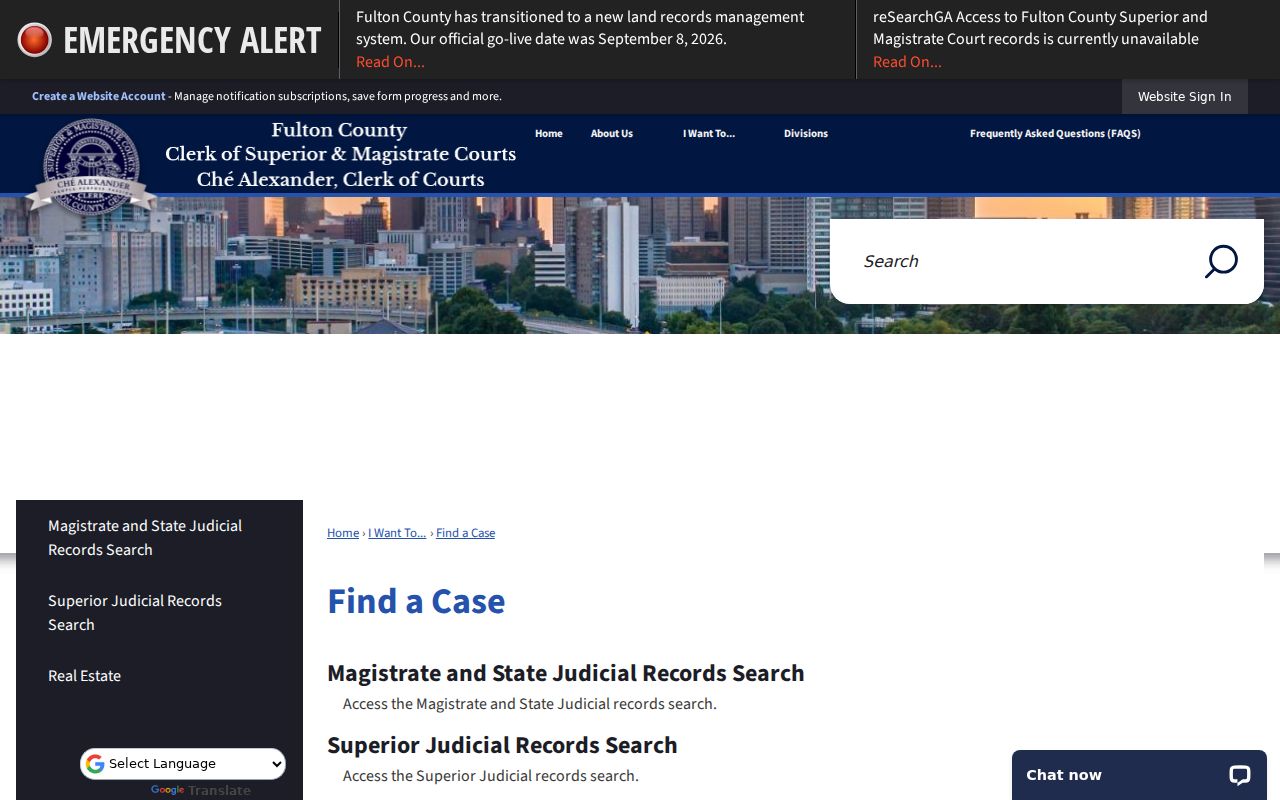
Georgia readers should pick the court class first. Even one county office may split its records by court. The Fulton County Tyler portal proves the point by being local itself. Its public shell demands JavaScript and cookies, then sign-in or registration. So it cannot tell you what another clerk's fields, fees, or terminal access look like. It is not a statewide criminal search form.
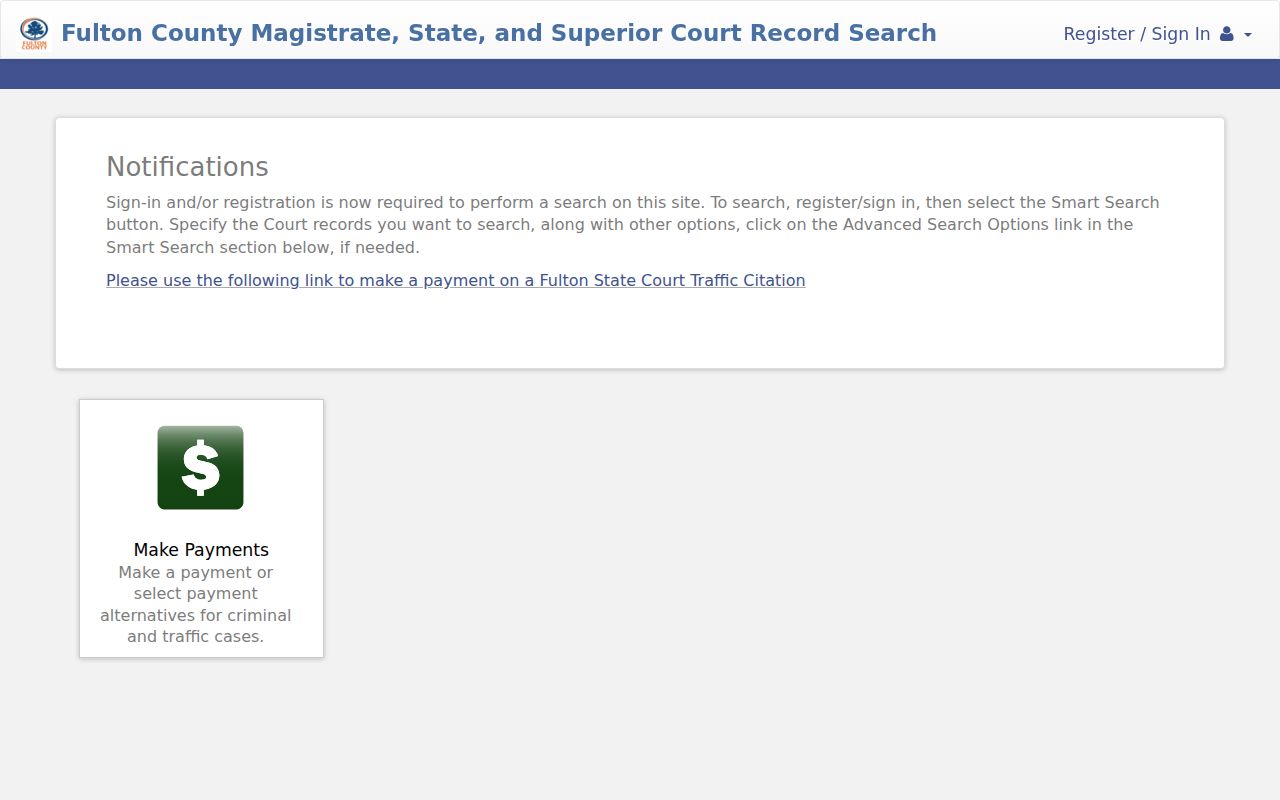
Across Georgia, work through E-Access to the right court. Then ask that court's clerk for anything the provider leaves out. Fields, fees, and history depth all vary. The Fulton State Court criminal FAQ offers a local illustration: case dates show for free, the first page of a document can be viewed, full documents cost extra, and a public terminal sits in the courthouse. Those are Fulton's terms, though, not Georgia-wide access rules.
When a Georgia Criminal Docket Search Fails
A Georgia docket search can come up empty for many reasons. You may have picked the wrong court, hit an account gate, owe an image fee, or reached into an older archive. Some records are restricted. Georgia publishes no single refresh interval or history cutoff for criminal searches, and a blank result never proves a case does not exist.
Check the county, the court, your spelling, and the full local case number. Then ask the clerk about another portal or an archive. Some courthouses keep public terminals. Georgia clerks accept phone, email, or mail requests, but there is no statewide form and no fixed turnaround rule; include the case, the document, the copy type, delivery method, and payment details.
Georgia providers also publish different history ranges and image terms. The clerk can tell you which local limit applies.
Sealed Criminal Dockets in Georgia
Access to a Georgia criminal docket depends on court class and case type. Superior Court Rule 21 starts from public inspection, subject to statutes and orders. Juvenile files follow a separate code. They stay restricted in general. A public case shell can still hide the documents inside. Ask the Georgia clerk which rule or order governs a given file.
The Georgia Open Records Act (O.C.G.A. §§ 50-18-70 et seq.) covers many agencies. The Attorney General, though, excludes Superior, State, Probate, and Magistrate court files from it. Georgia court access runs on its own rule and clerk process. Also note that redacting an identifier is not the same as sealing a whole case.
Access rules: Georgia Uniform Superior Court Rule 21 sets the access presumption and restriction process for Superior records; O.C.G.A. §§ 15-11-700 and 15-11-704 govern juvenile hearings and files, subject to exceptions and orders. Georgia Attorney General guidance explains the Open Records Act exclusion for the named court files.
Under Georgia Rule 21, an order limiting Superior Court access must say what material is restricted, how long the limit lasts, and why. A redaction request and a request to seal a case are two different procedures. For a Georgia public record, start with an online case lookup. Then verify the copy with the clerk. Restricted records go through the court process, never an agency request.
Juvenile Criminal Dockets in Georgia
Georgia Juvenile Court hears Juvenile Code matters. Those include delinquency cases and traffic cases involving children under 17. O.C.G.A. § 15-11-704 generally limits file inspection to authorized people or court order, with statutory exceptions. A missing portal result neither establishes that a case exists nor identifies a child.
Georgia’s Juvenile Data Exchange (JDEX) is closed to the public; only authorized users get in. Ask the Juvenile Court Clerk what authority you need. A general E-Access account does not override confidentiality rules.